Thursday, April 24, 2014

Finally: A browser add-on that lets you copy and paste text out of images and memes

  • Project Naptha, detecting text in the doge meme

Share This Article

Have you ever ended up on one of those awful websites where the text is saved as an image, preventing you from selecting or copying it? Or maybe you want to share the text from a comic, screenshot, or meme without painstakingly transcribing it? Now, with the Project Naptha browser extension, you can use your mouse to select the rasterized text from any image that you find on the web, and then paste that text elsewhere. You can also select the text and translate it into another language, or attempt to remove the text entirely (much like Photoshop’s Content-Aware Fill function).

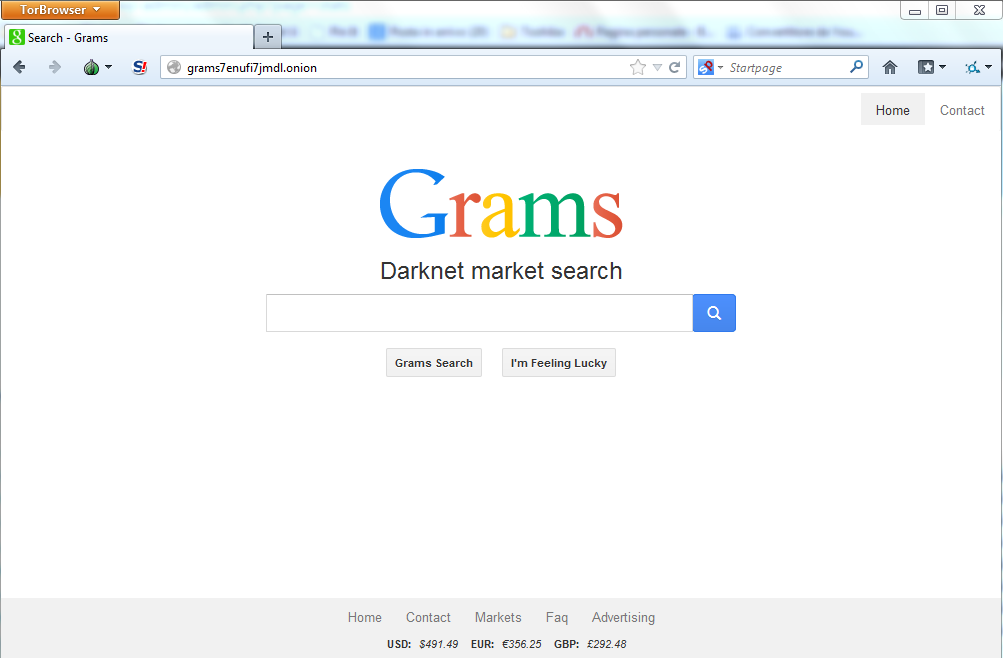
Grams Darknet Search Engine by Gorvam saddar

All my readers know my involvement in the research conducted on the Tor Network, and in general on the Deep Web.
Recently, many events have shocked the Tor community, the revelation on NSA project to track Tor users, the seizure of the Silk Road black market and the arrest of Eric Eoin Marques, the 28-year-old Irishman owner and operator of Freedom Hosting, the principal hosting service within Tor Network.
Many security experts, me included, have spent their effort to make more accessible the Tor Network, to crawl its content and realize a sort of search engine to rapidly makes search within not indexed pages.
The number of hidden services within the Tor network is impressive, many of them unknown to the majority of the users.
Security experts have discovered that the offer of illicit goods in  underground websites is very dynamic, on a daily basis new services offer illegal drugs, weapons, hacking tools, and provide other illegal services to its customers.
Search them within Tor network is often not so easy, users have to know exactly onion URL of the web resource which is difficult to remember.
Grams is a project for the implementation of a search engine for online underground Black Markets. It was launched in Beta last week at the address http://grams7enufi7jmdl.onion
 Grams can be used by Tor users to easily find sites proposing illegal goods including drugs.  Grams’ creator, who uses the nickname of Gramsadmin, announced the release of the beta with a post on Reddit.
Grams Black Market search engine

Tuesday, April 22, 2014

Using Ntdsutil.exe to transfer or seize FSMO roles to a domain controller by Gorvam saddar


The following list describes the 5 unique FSMO roles in an Active Directory forest and the dependent operations that they perform:

Windows Server 2012 - Active Directory - Backup and Restore, Part 1: System State Gorvam saddar


Introduction
For my next serie of blog posts, I want to examine aspects of backing up and restoring Active Directory.
I've always thought that the native options for backing up Active Directory were not "efficient".
I do not mean to say that they "do not work" but rather that they require a certain "effort" to accomplish, one may argue, what should or could be a short and simple operation.
Essentially, we have to backup the "system state" which includes not only the Active Directory database, and the SYSVOL data (in substance, group policy and scripts), but also the registry, system files, and the COM+ database. If the domain controller holds other roles, the system state could include even more elements.

8 Tricks For A Better Facebook Experience Gorvam saddar


8 Tricks For A Better Facebook Experience

1. Get Unlimited Facebook Likes For Your Facebook Page For Free

from many available online free facebook liker websites

2. Remove Ads And Sponsored Stories From Facebook

Facebook has two types of ads, one are the regular ads that you see on most websites on the internet, and the other ones are sponsored stories – displayed within your news-feeds. If you don’t want to accidentally click on those annoying ads and you want to remove them from Facebook, then you can do that easily using any addremover.

How To Get Notifications When Someone Unfriends You On Facebook by Gorvam saddar

How To Find Out Who Unfriended You

Facebook notifies you when someone accepts your friend request and both of you become friends. But you never come to know when someone unfriends you, no notification, no email, nothing. So how can you come to know when someone unfriends you?
The obvious answer someone can think of is checking your friend list count, but checking and remembering all of your friend list is not a practical option to go for. And keeping a track of your friend list count can only tell you the number of people who unfriended you, but not the actual names. Another problem with this method is if you lose and add some friends, you won’t notice the exact change in your friend list count.

Post Status Updates On Facebook VIA Anything Gorvam saddar

What If You Want That VIA Text In Your Status Updates?

If you use Facebook and you see you newsfeeds closely, you would have surely seen some status updates with some “via ….” text at the bottom of them. This text is added by the application which is used to post the status update. Most of these apps come pre-installed on the devices and are device specific, and you can not run these apps on any other device.

You can’t buy all the devices just to add that little text to your status update. So what you are gonna do?
Facebook allows developers to publish status updates through their app on user’s behalf, and this is how we can post status updates with any via text we want.

What You Need To Do.....